TryHackMe write-up: Traverse
Challenge your secure coding skills to restore a compromised website.

Disclaimer
The content of this article is for educational purposes only. Do not use the techniques described here on any system without the explicit consent of the owner.
Objective
In this challenge, we investigate a tourism web application that is being compromised on a regular basis after its release to production. The objective is to identify the vulnerabilities responsible for the breaches, understand how they can be exploited, and determine the steps required to secure the application.
Recon
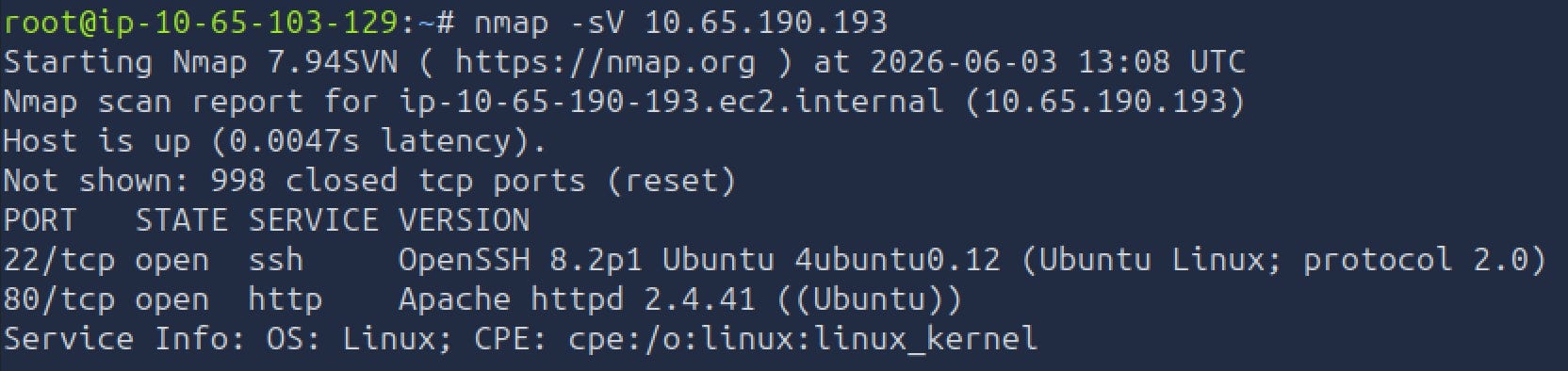
As always, I started by gathering as much information as possible about the target. The first step was running an Nmap scan to identify open ports and exposed services. This provided an initial understanding of the application’s attack surface.
Next, I checked the robots.txt and sitemap.xml files. These files sometimes reveal hidden directories, administrative pages, or other interesting resources that are not visible through normal browsing. In this case, nothing particularly interesting was exposed.
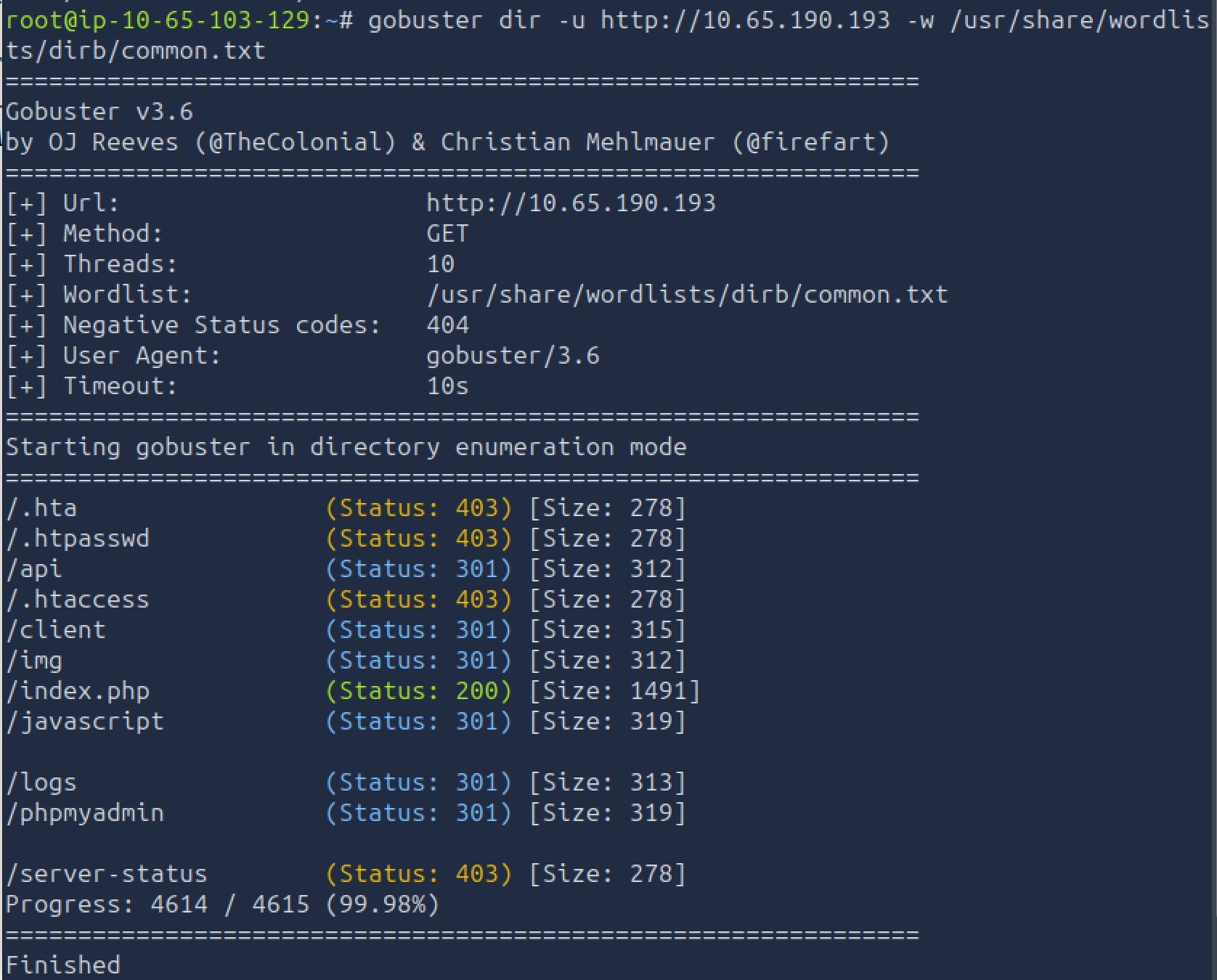
To expand the attack surface further, I performed directory enumeration with Gobuster. This helped uncover files and directories that were not linked from the application itself but could still be accessed directly.
Questions
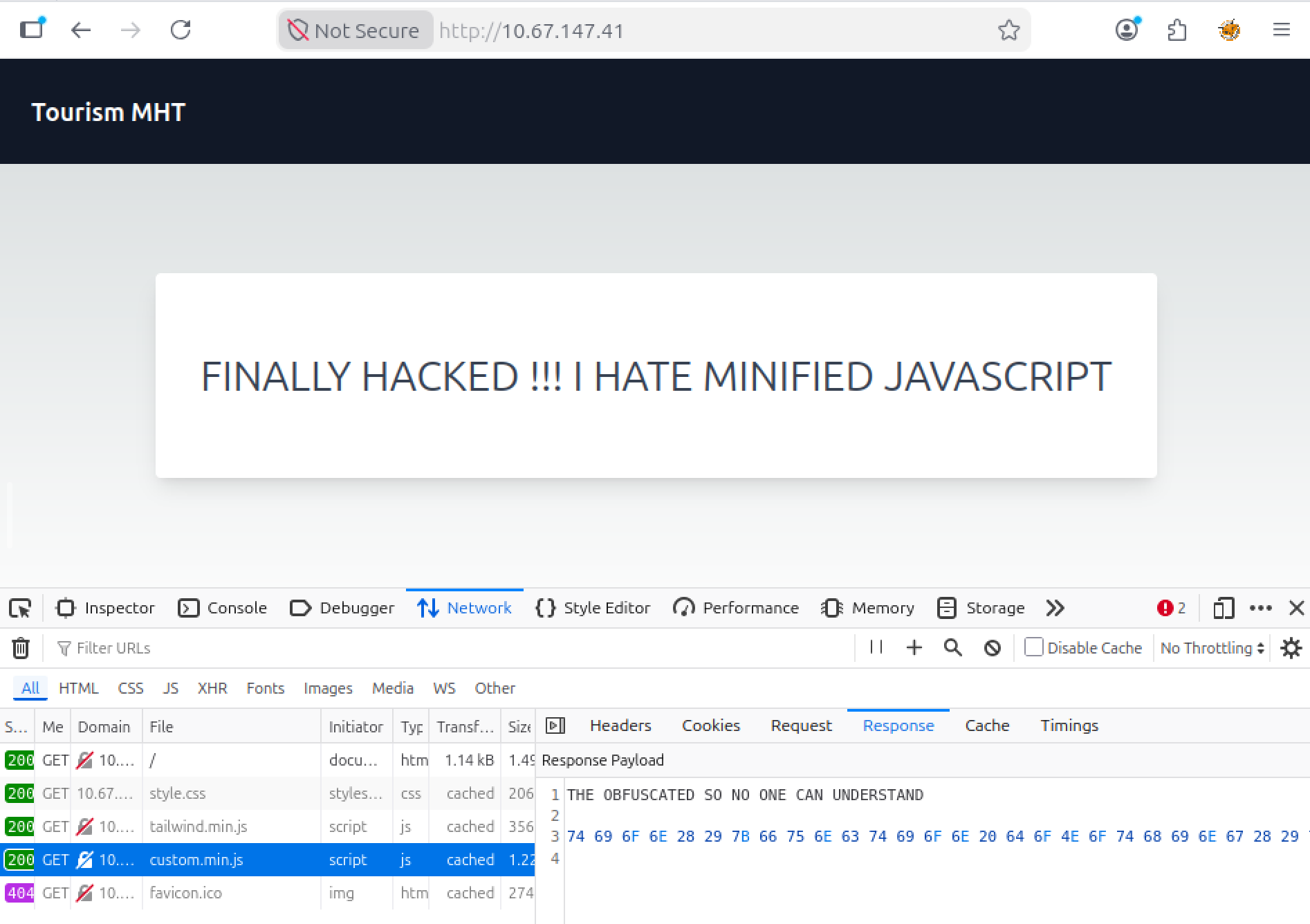
What type of encoding is used by the hackers to obfuscate the JavaScript file?
Let’s open devtools and the network tab to look at the js file. The contents appeared to be encoded as hexadecimal values.
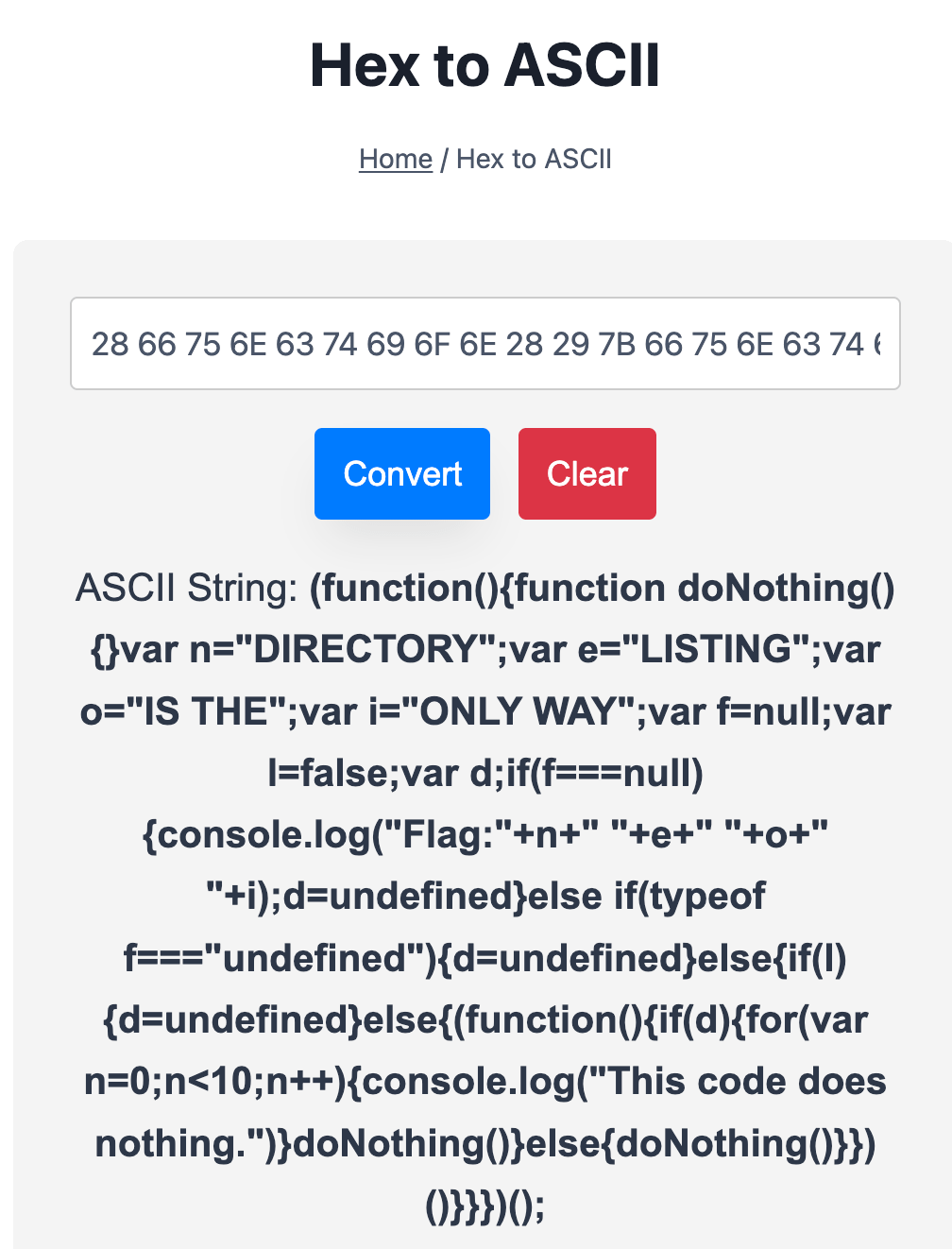
What is the flag value after deobfuscating the file?
Any Hex to ASCII converter can do the trick. To deobfuscate the file, paste the content into a converter and find the flag:
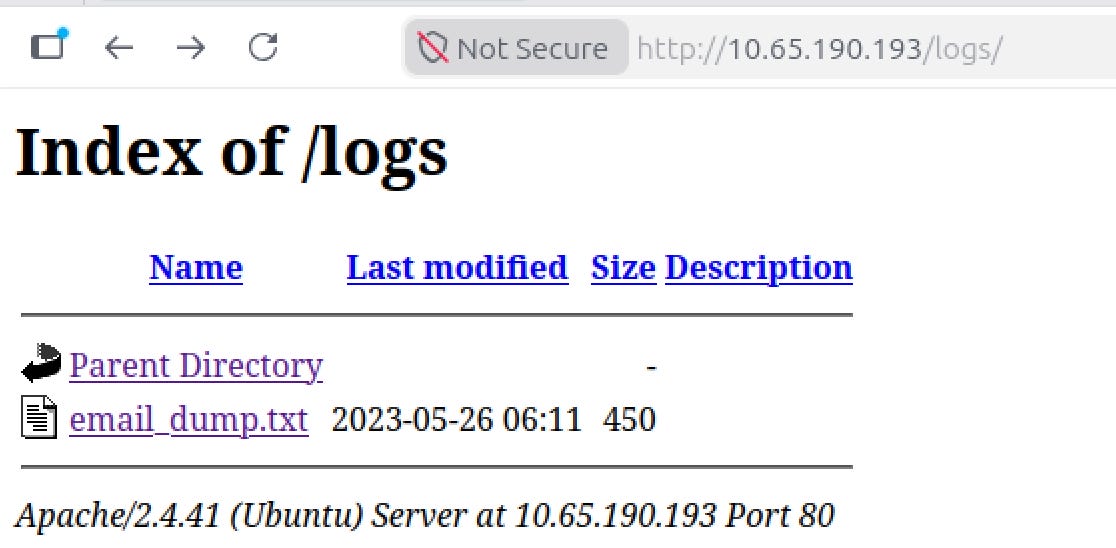
Logging is an important aspect. What is the name of the file containing email dumps?
During the reconnaissance phase, Gobuster revealed a /logs directory. Exploring this directory led to the answer.
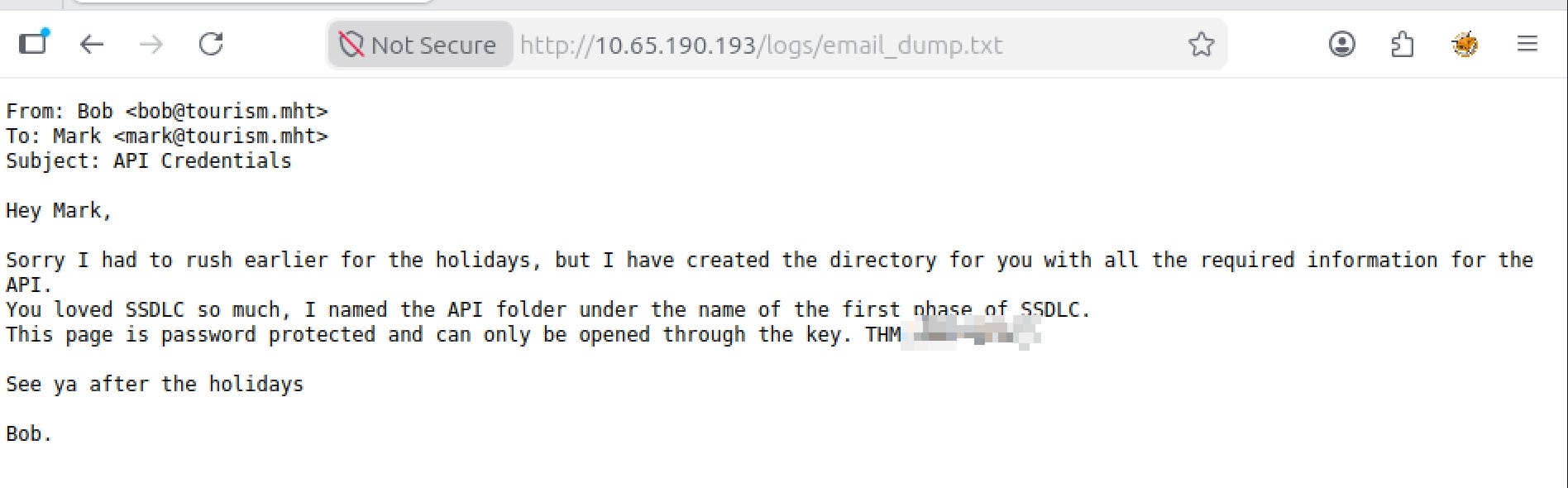
The logs folder contains email logs and has a message for the software team lead. What is the name of the directory that Bob has created?
Reading the email logs reveals a reference to a directory created by Bob. The name corresponds to the first phase of the SSDLC process: Planning.
What is the key file for opening the directory that Bob has created for Mark?
What is the email address for ID 5 using the leaked API endpoint?
The password to /planning was obtained at the previous step, and now we can see what /planning hides:
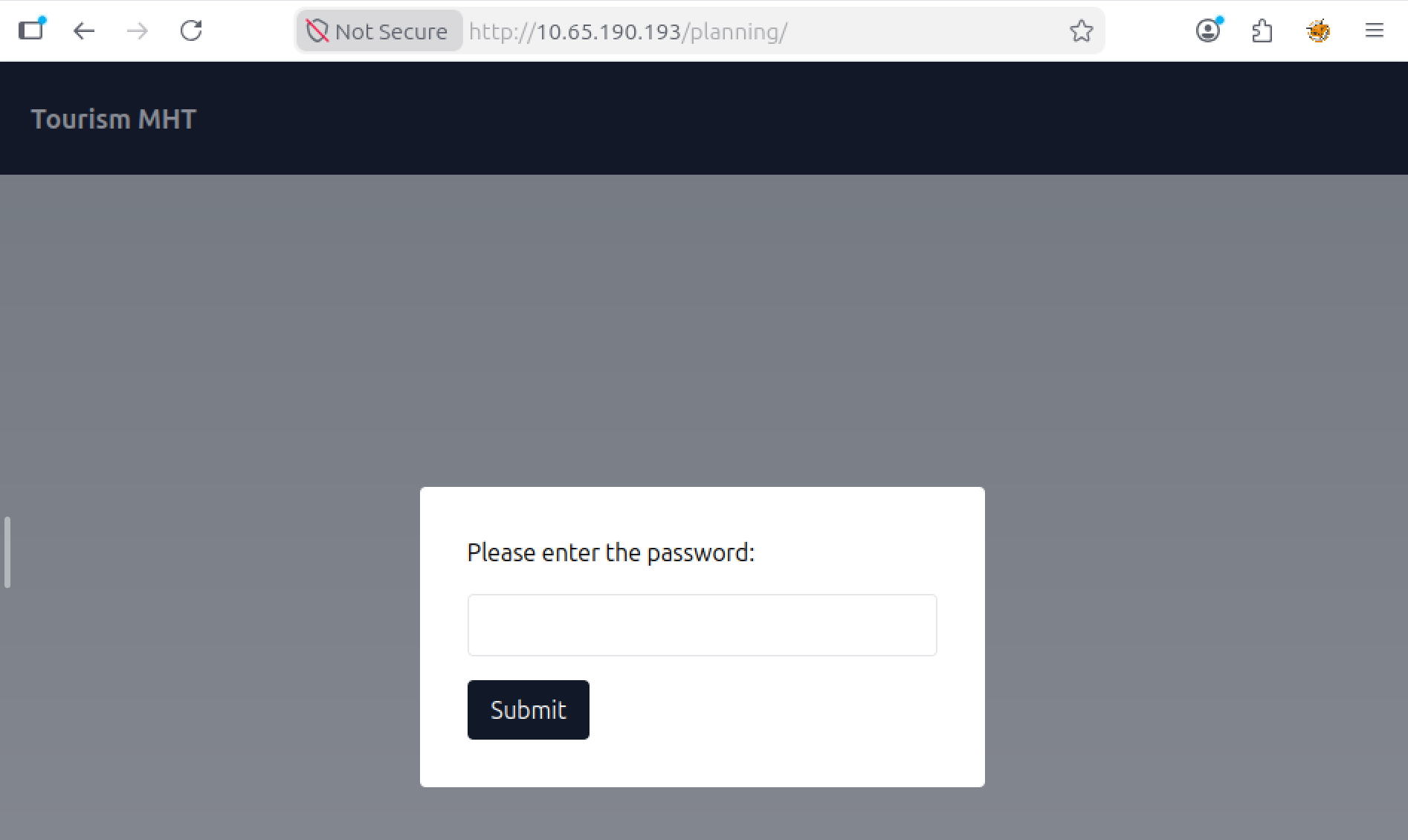
Inside, I found documentation describing an /api endpoint that accepts a customer_id parameter.
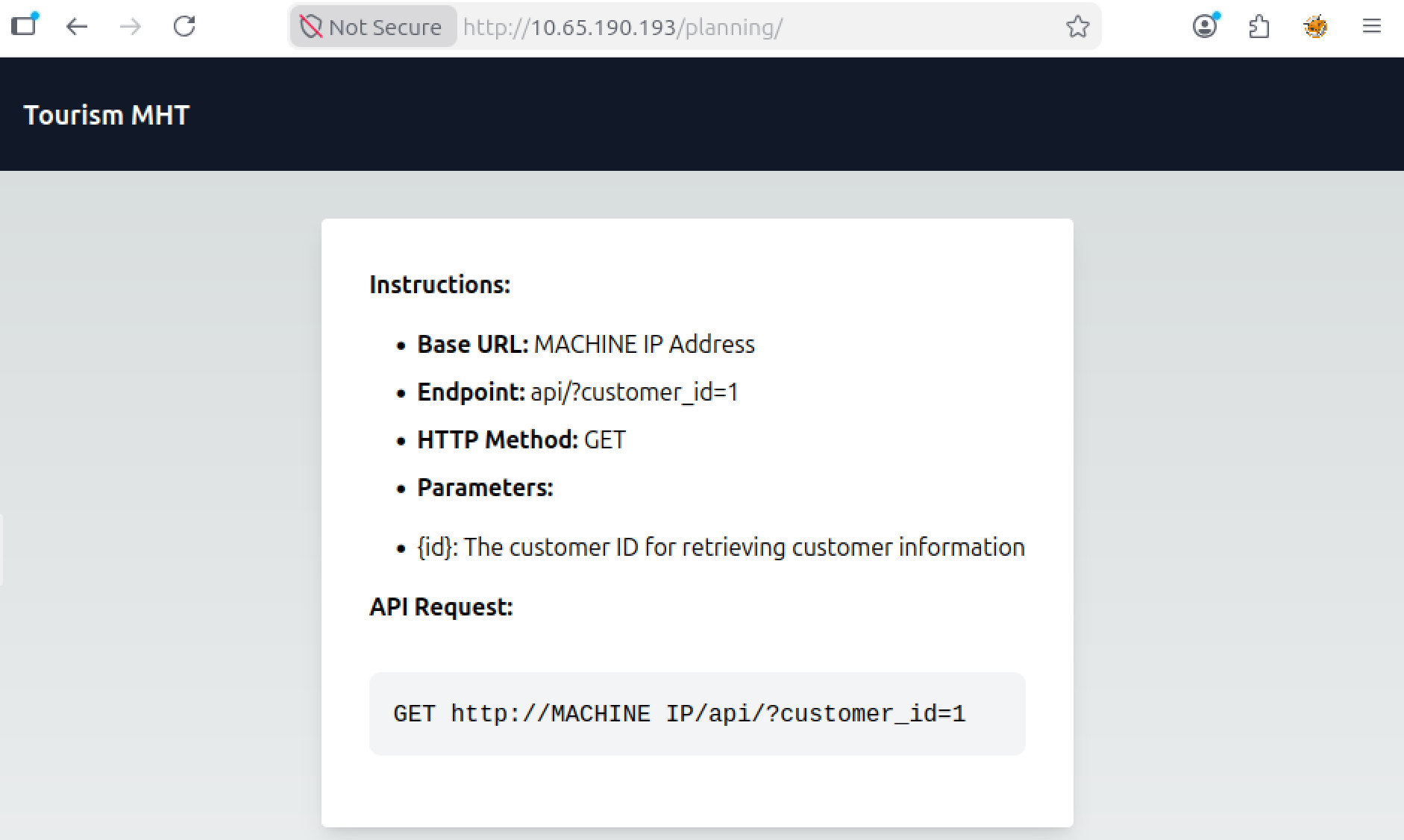
The endpoint returns customer information based on the supplied ID, including email addresses and passwords. By querying the endpoint with ID 5, I obtained the requested email address.
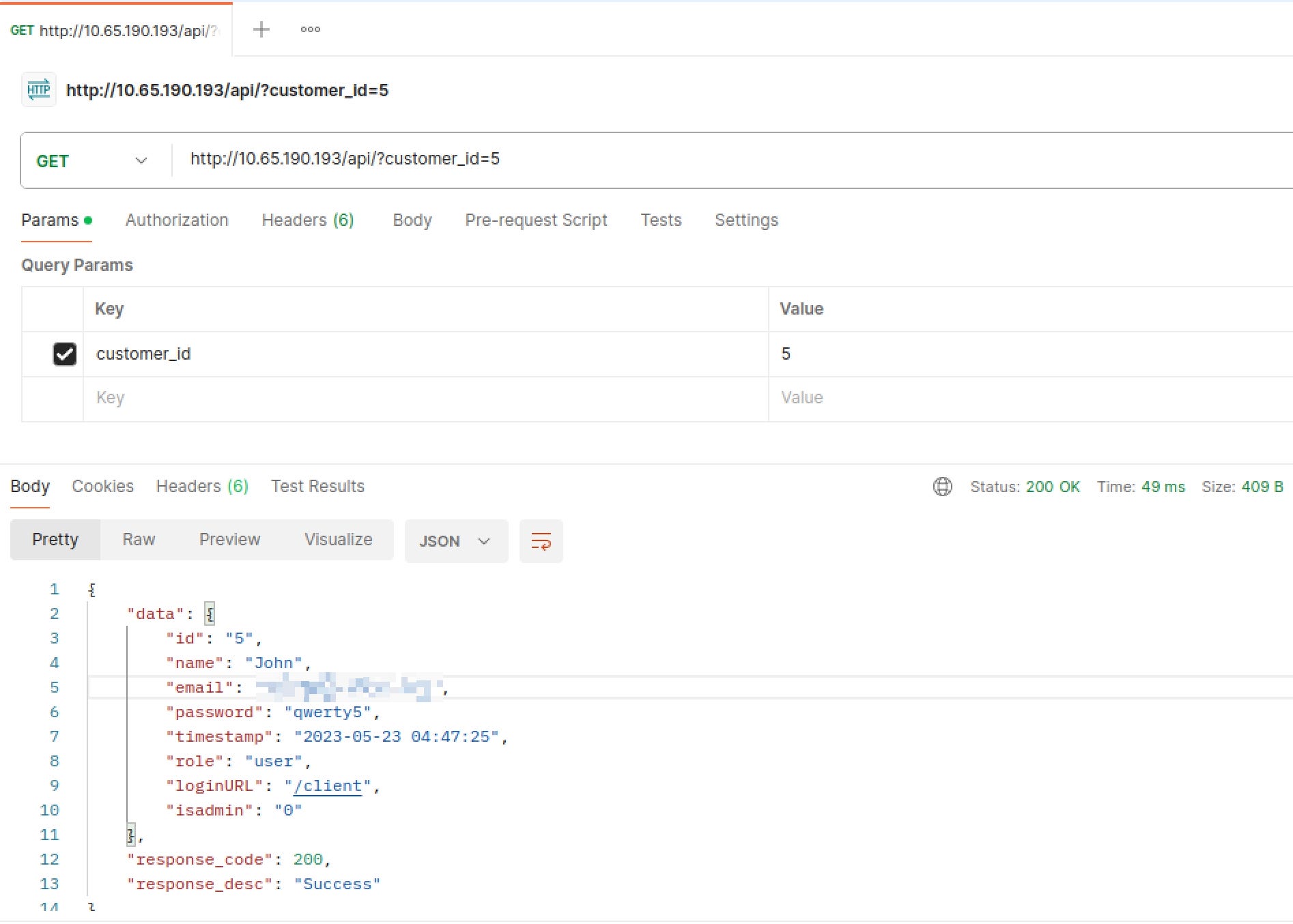
What is the ID for the user with admin privileges?
What is the endpoint for logging in as the admin? Mention the last endpoint instead of the URL. For example, if the answer is URL is tryhackme.com/admin - Just write /admin.
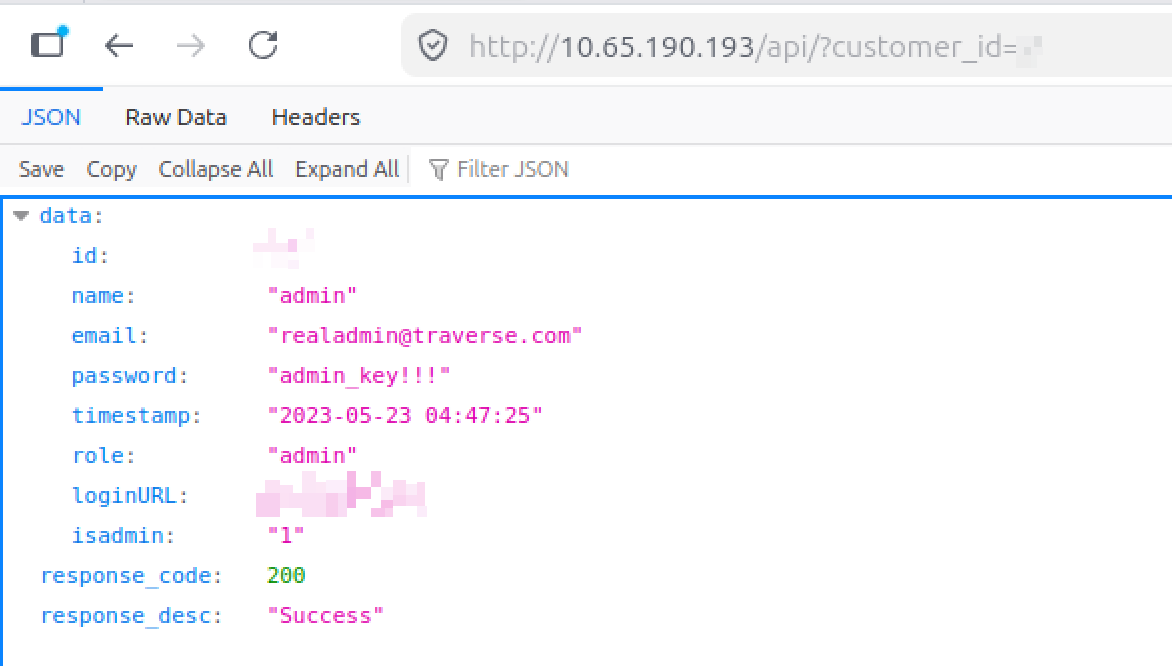
Admins are often among the first users created in a system. Enumerating user IDs eventually revealed an account with admin privileges, along with a dedicated login endpoint. Since the API also exposed credentials, we already had everything needed to access the admin area.
The attacker uploaded a web shell and renamed a file used for managing the server. Can you find the name of the web shell that the attacker has uploaded?
What is the name of the file renamed by the attacker for managing the web server?
After logging in as the admin, I found a page that allowed execution of two predefined commands: whoami and pwd.
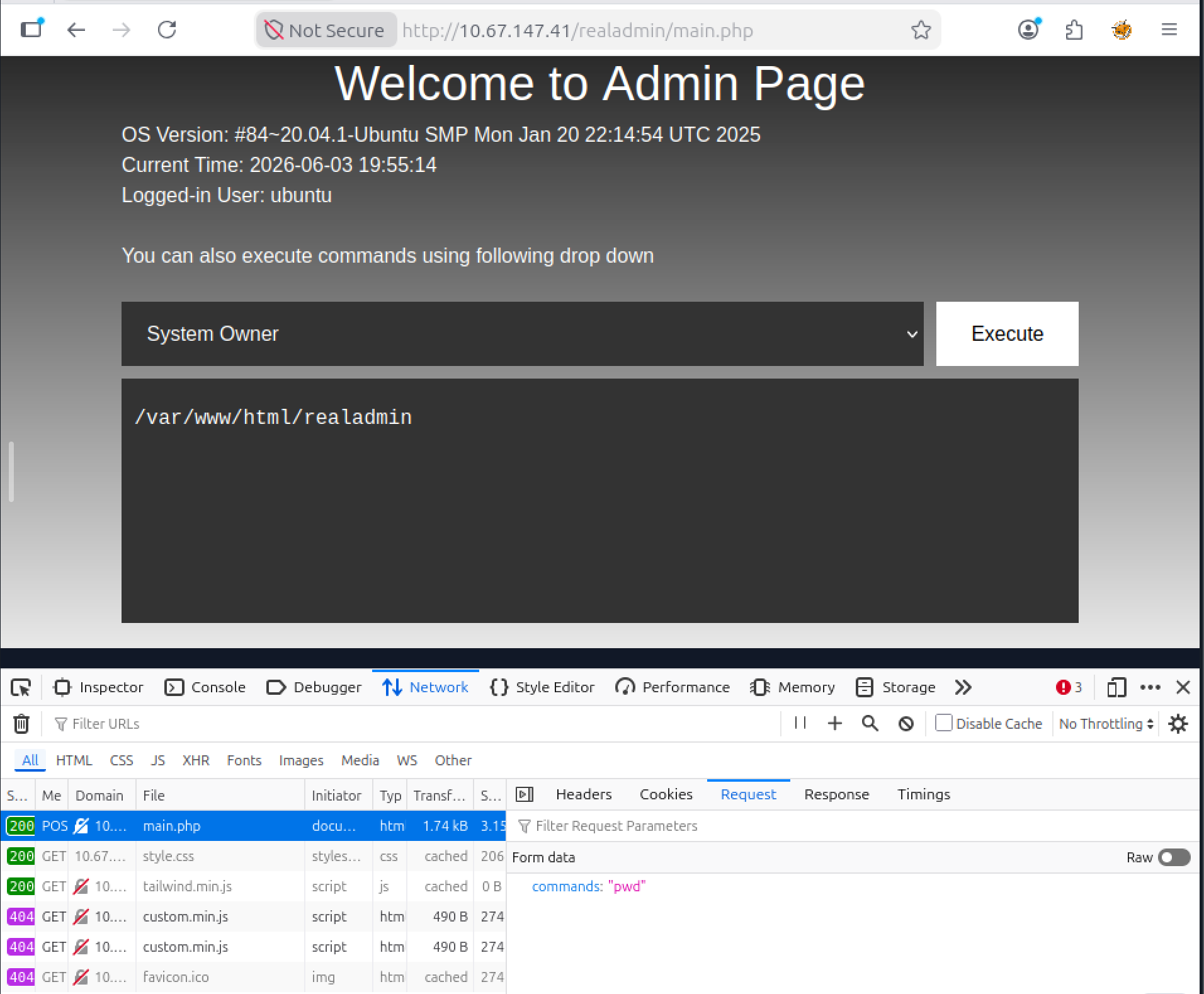
We can craft a request to check if it’s possible to execute custom commands and list all files in the current directory. In the response, we can see the name of the malicious file manager page and what it was renamed to:
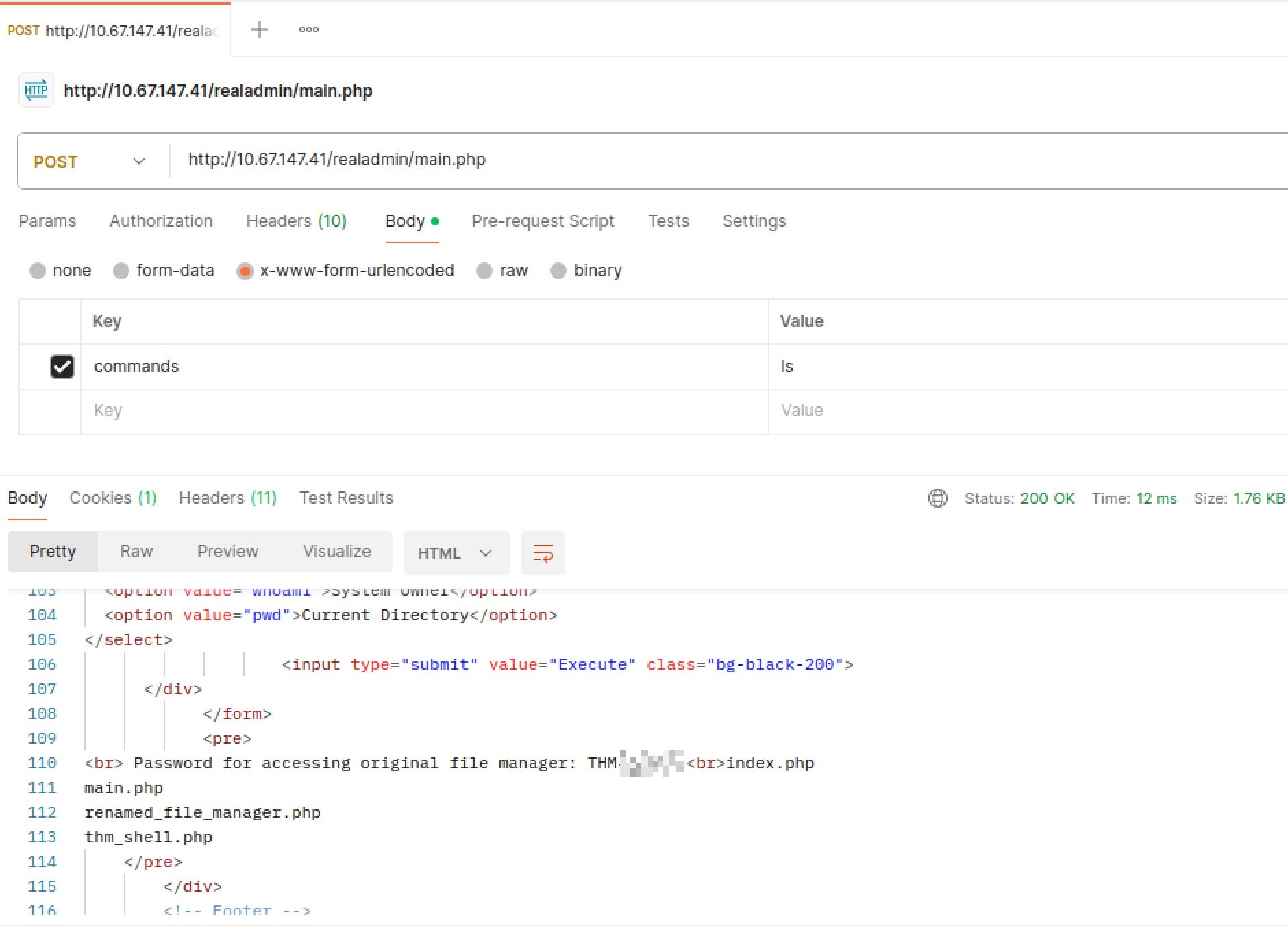
Can you use the file manager to restore the original website by removing the “FINALLY HACKED” message? What is the flag value after restoring the main website?
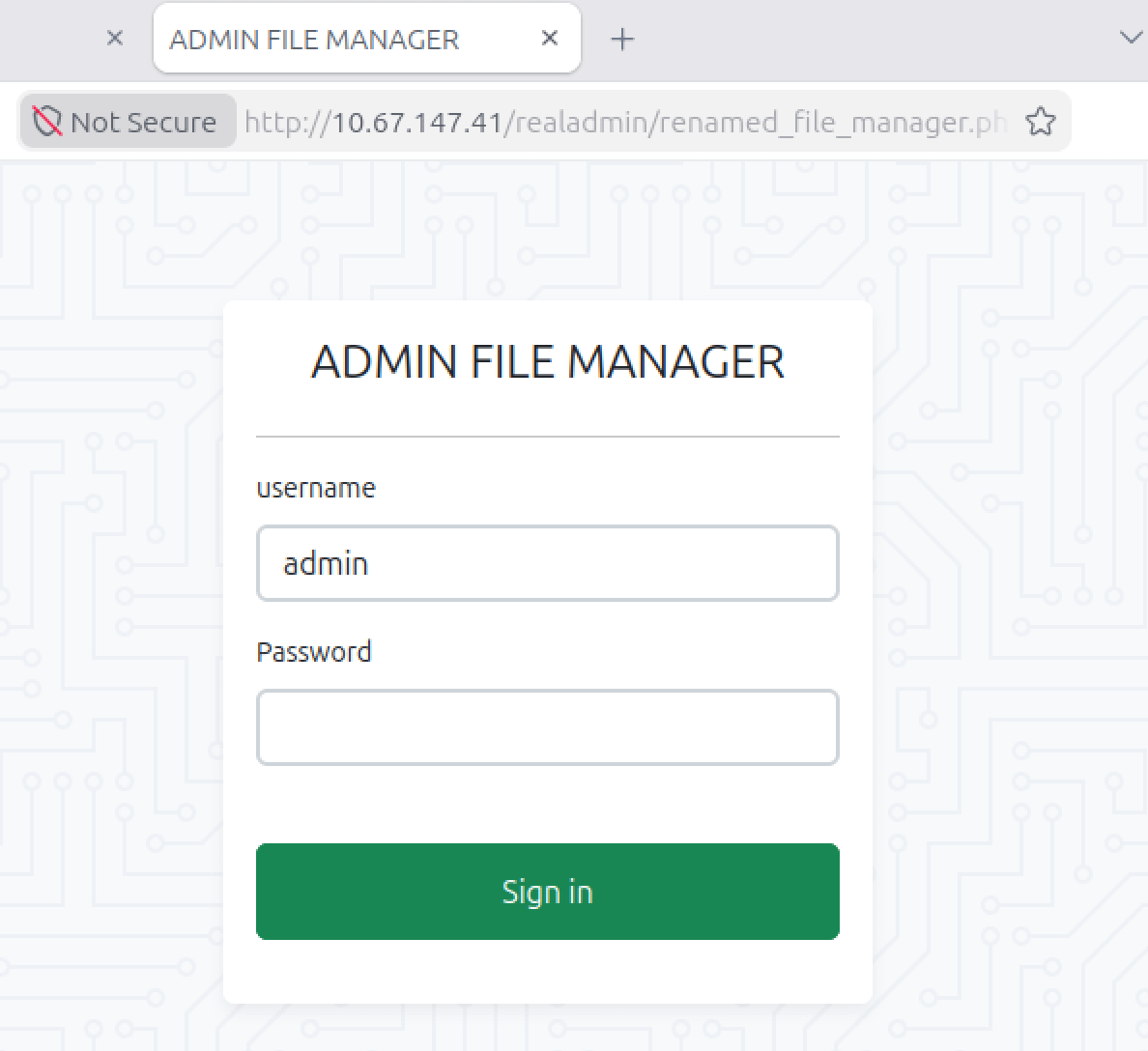
Go to the renamed file manager page and enter the admin credentials obtained at the previous step:
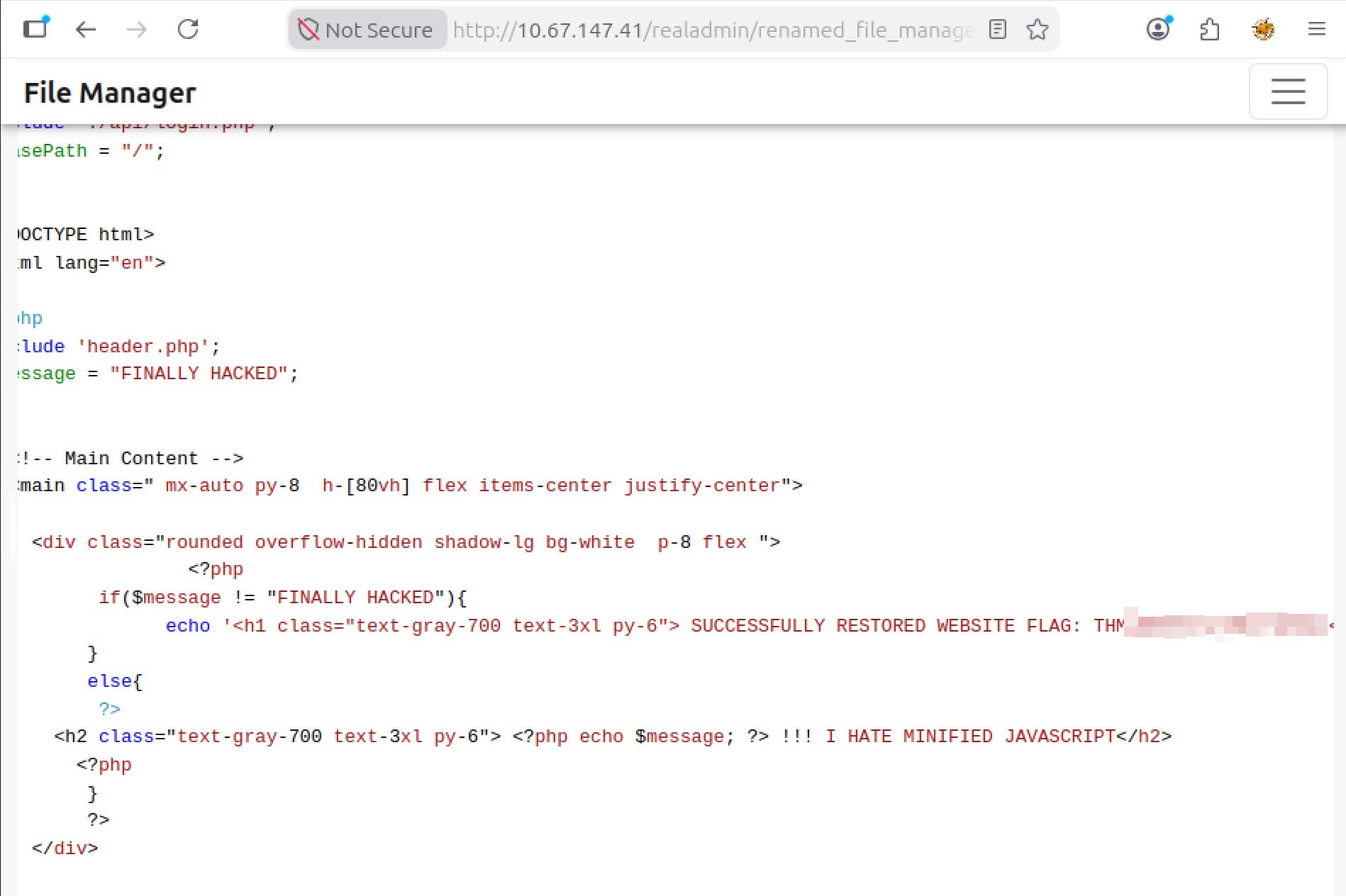
After opening index.php, I found the modified content. While restoring the page, the final flag was revealed.
Conclusion
From a defensive perspective, the lessons are straightforward: restrict access to logs and internal files, avoid exposing sensitive information through APIs, enforce proper authorization checks, and limit administrative functionality that can execute system commands. Individually, these weaknesses may seem minor, but together they allowed an attacker to fully compromise and deface the website.